macOS · Apple silicon

hun in your menu bar.

a native macOS app for switching projects, controlling services, and following logs — without opening another terminal pane.

The full app is free during the public beta. A beta license key is required, works on two Macs, and expires for everyone on 31 October 2026.

How beta pricing works
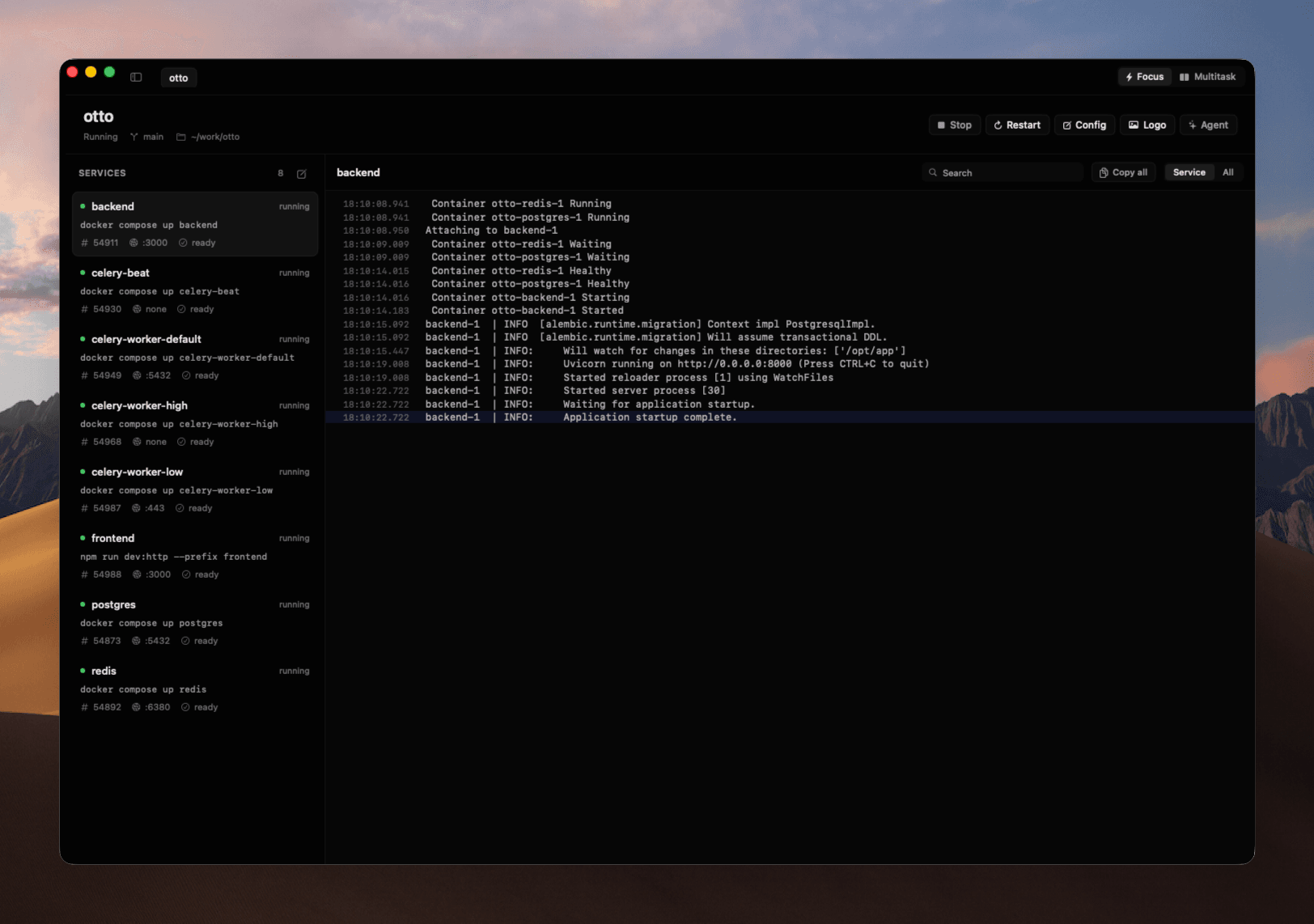
Hun showing projects, running services, Docker Compose infrastructure, and live logs in its native macOS workspace

the whole project

one window. every moving part.

Projects, services, Git, logs, and terminals stay together—so switching context does not mean rebuilding it.

project switcher

the workspace remembers.

Return to the exact project context you left.

Recent projects⌘ K
Vvoice-aimain4 services
Sstorefrontcheckout6 services
Ddocscontent2 services

running in voice-ai

4 healthy
web:3000
api:8080
postgres:5432
Saved context4 services · 2 terminals · main

service control

your stack, as a system.

Start, stop, and inspect local services together.

voice-ai · mainRestart · Stop
webpnpm dev
:3000running
apigo run ./cmd/api
:8080running

focus and multitask

choose how projects coexist.

Focus hands ports to the next project. Multitask keeps both alive.

Vvoice-aimain
releasing :3000
312ms
Sstorefrontcheckout
owns :3000

git workspace

stay with the change.

Review diffs, commit, and push without leaving the project.

changes2 files
DashboardModel.swift
ProjectWorkspace.swift
DashboardModel.swiftmain

− selectedProject = nil

+ restoreWorkspace(for: project)

+ selectedProject = project

project recipe

teach hun once.

Define services, ports, and dependencies once in .hun.yml.

.hun.ymlvoice-ai
services
web · api · worker · postgres
ports
3000 · 8080 · 5432
compose
docker-compose.yml
Project ready

mac, through and through

built for your machine.

The macOS app is the product. The optional CLI is there when automation or a remote machine calls for it.

native
SwiftUI
not a web wrapper
local
by default
your project stays on your Mac
runtime
bundled
app and daemon stay compatible
updates
verified
signed, notarized, and in-app
Public beta

free while we build it with you.

Use every feature through 31 October 2026. After beta, the planned price is $15 once for a lifetime license on two Macs—no subscription and no feature ladder.

questions

before you install.

What exactly does Hun replace?+

The repeated setup around local development: finding the project, starting its processes, resolving port conflicts, locating logs, and rebuilding terminal context. It does not replace your editor, Git host, Docker, or shell.

Does my project need a particular framework?+

No. Hun runs the commands you define in a small .hun.yml file and can detect common Node.js, Go, Python, Docker Compose, and monorepo structures.

Is the CLI required?+

No. The macOS app is the primary product and bundles the runtime it needs. The standalone CLI and TUI remain optional for automation, remote machines, and terminal-first workflows.

What happens when the public beta ends?+

The beta is free through 31 October 2026. After that, continued use will require the planned $15 lifetime license. The paid-license transition will ship before the beta deadline.